
Ride the trend,not the noise.
Software for the systematic MT5 trader. Portfolio Manager backtests your strategies in parallel across your brokers, balances them into risk-tuned portfolios, and lets an AI assistant orchestrate the whole research loop — from large-scale testing to the setups worth a closer look.
Just need to analyze a single report? Open StrategyLens — free →
Backtest. Right-click.
It's in StrategyLens.
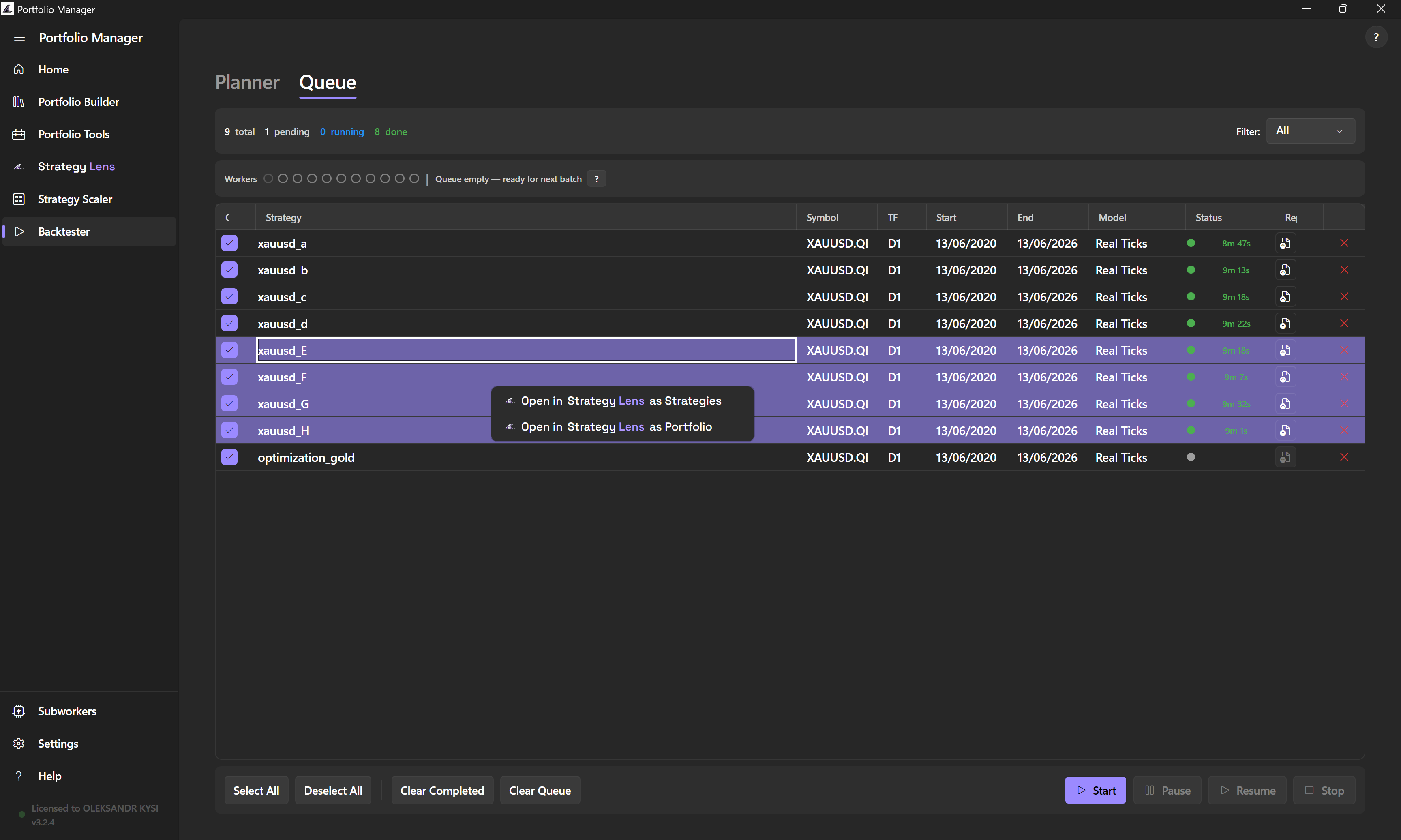
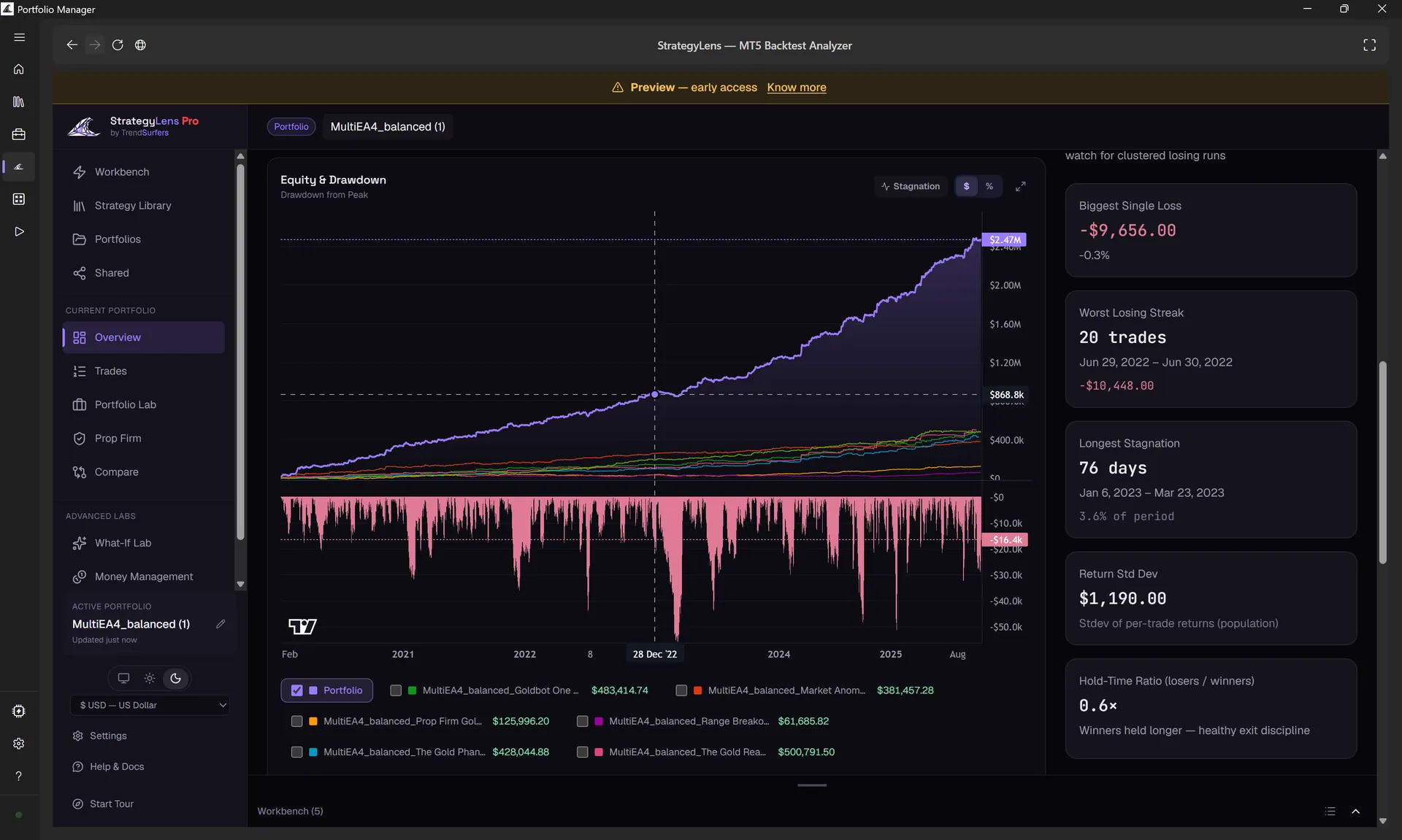
The same free StrategyLens you know — now built right into Portfolio Manager. Backtest your strategies, right-click any result, and it opens in StrategyLens. Same window, nothing to re-upload.
- Right-click any grid, queue or wizard result → Open in StrategyLens
- Opens in the same window — fullscreen, theme-synced
- Group several strategies into one portfolio in a single move
Whisper to your Portfolio Manager.
Point an AI assistant at it: it orchestrates backtests in parallel through Portfolio Manager, then analyzes the results in StrategyLens over MCP — an AI research loop that surfaces the setups worth a closer look. You set the goal; it does the legwork.
Results are research outputs — not trading signals, recommendations, or financial advice.
A folder of .set files,
into a balanced portfolio.
Most MT5 traders run their strategies in isolation — each one sized blindly, each drawdown stacking on the next. Portfolio Manager combines them into one balanced book: equalised drawdowns, correct lot sizing, and calibration to your exact account and risk tolerance.
MT5 Subworkers.
Spawn isolated copies of your master MT5 terminal and fan backtests across them. Subworker count scales to the actual hardware available: physical CPU cores, RAM, disk speed, and the selected MT5 tick model all affect how much parallelism your machine can sustain.
Logical threads are not treated as full workers. Reserve 1 physical core for Windows, 2 physical cores for the master terminal, then assign the remaining physical cores to Subworkers. RAM can reduce that number further, especially on heavier tick models.
Built for the desk, not the cloud.
A native Windows desktop app for MT5 traders. Auto-discovers your installed EAs and symbols, parses HTML backtest reports, reads and writes .set files. Every byte stays on your machine.
One terminal, many cores.
MT5 Subworkers spin up isolated copies of your master terminal and run backtests in parallel. Smart resource sizing scales to your hardware; a reserved-RAM slider keeps the host responsive while runs are in flight.
Five steps from raw to deployable.
Setup · Backtest All · Strategies Balancer · Calibration · Validation. The wizard takes a folder of strategy .set files and exports a packaged, calibrated portfolio at the end.
Equal risk, every strategy.
Scale lots so each strategy contributes the same drawdown. BalancedLot = BaseLot × (TargetDD / StrategyDD)
Hit your target DD, on any account.
Compute LotSizeStep for each strategy so the EA scales lots automatically as the account balance moves.
See what moves together.
Pearson correlation across every strategy pair, computed from MT5 backtest reports. Spot the duplicates before they double your drawdown.
Strategy & portfolio level, side by side.
Max Drawdown, Net Profit, Profit Factor, Sharpe Ratio, Win Rate, Trade Count, Min Required Balance — computed at both the per-strategy and portfolio level. Load HTML reports or .set files; the Portfolio Calculator does the rest.
It already knows your MT5.
Scans the MT5 data folder for installed EAs and available symbols. Reads HTML backtest reports. Reads & writes .set files — StartLots, LotPerBalance_step, Risk.
Every screen, no fluff.
Real screenshots — not mockups.
Screenshots are illustrative and reflect the application at the time they were taken. The product evolves continuously — new features are added, existing ones may be redesigned or relocated, and some may be removed. The actual UI may differ from what is shown here.
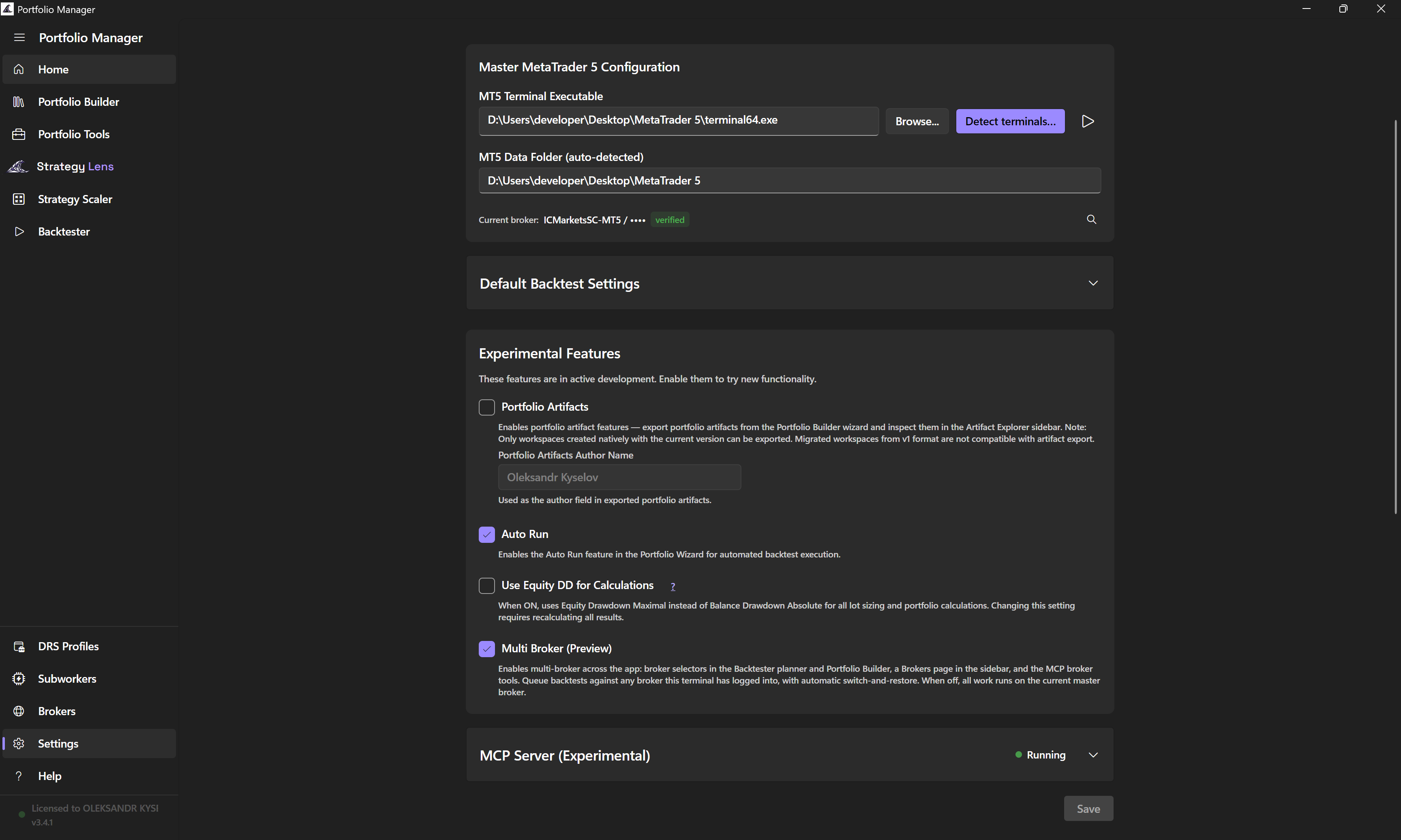
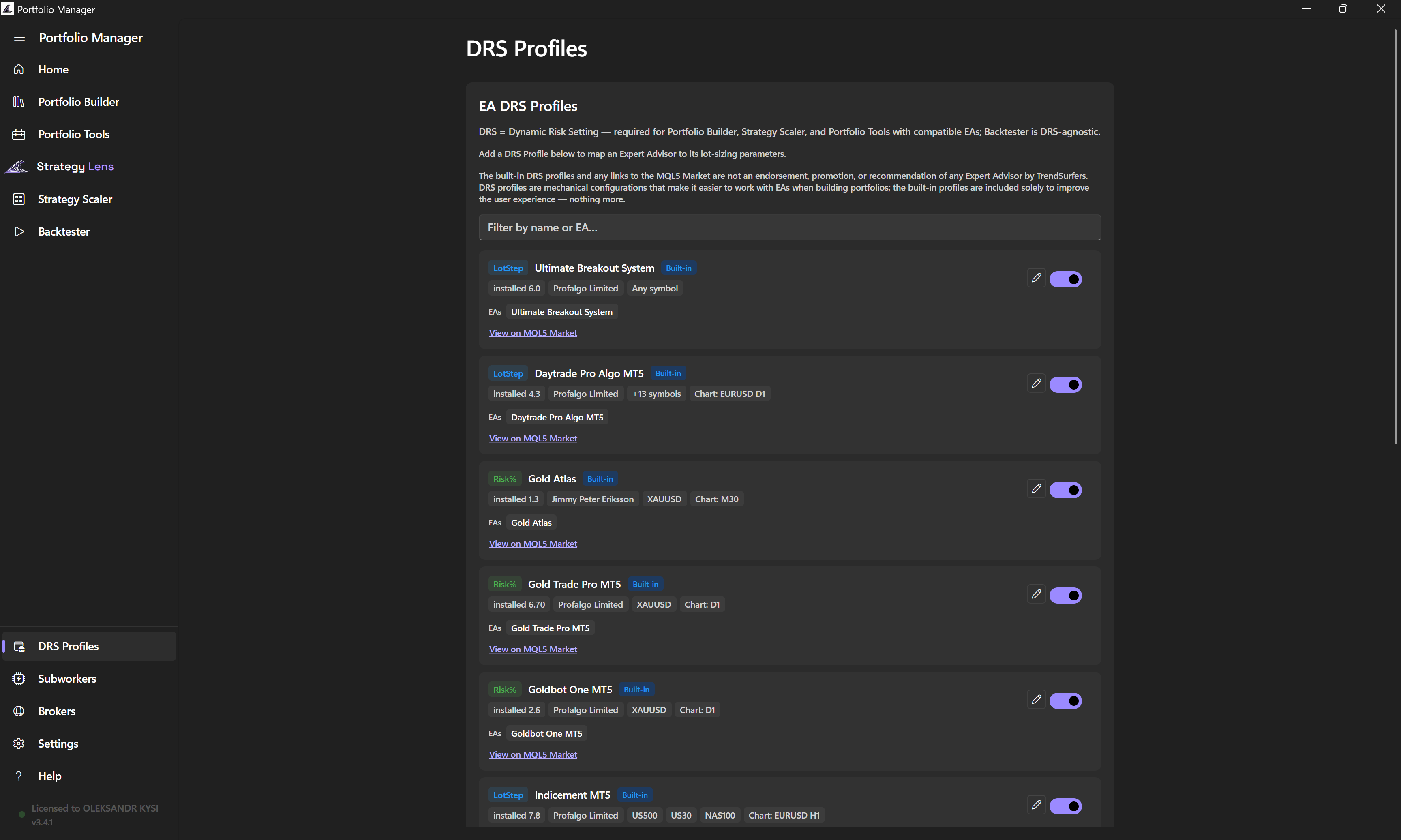
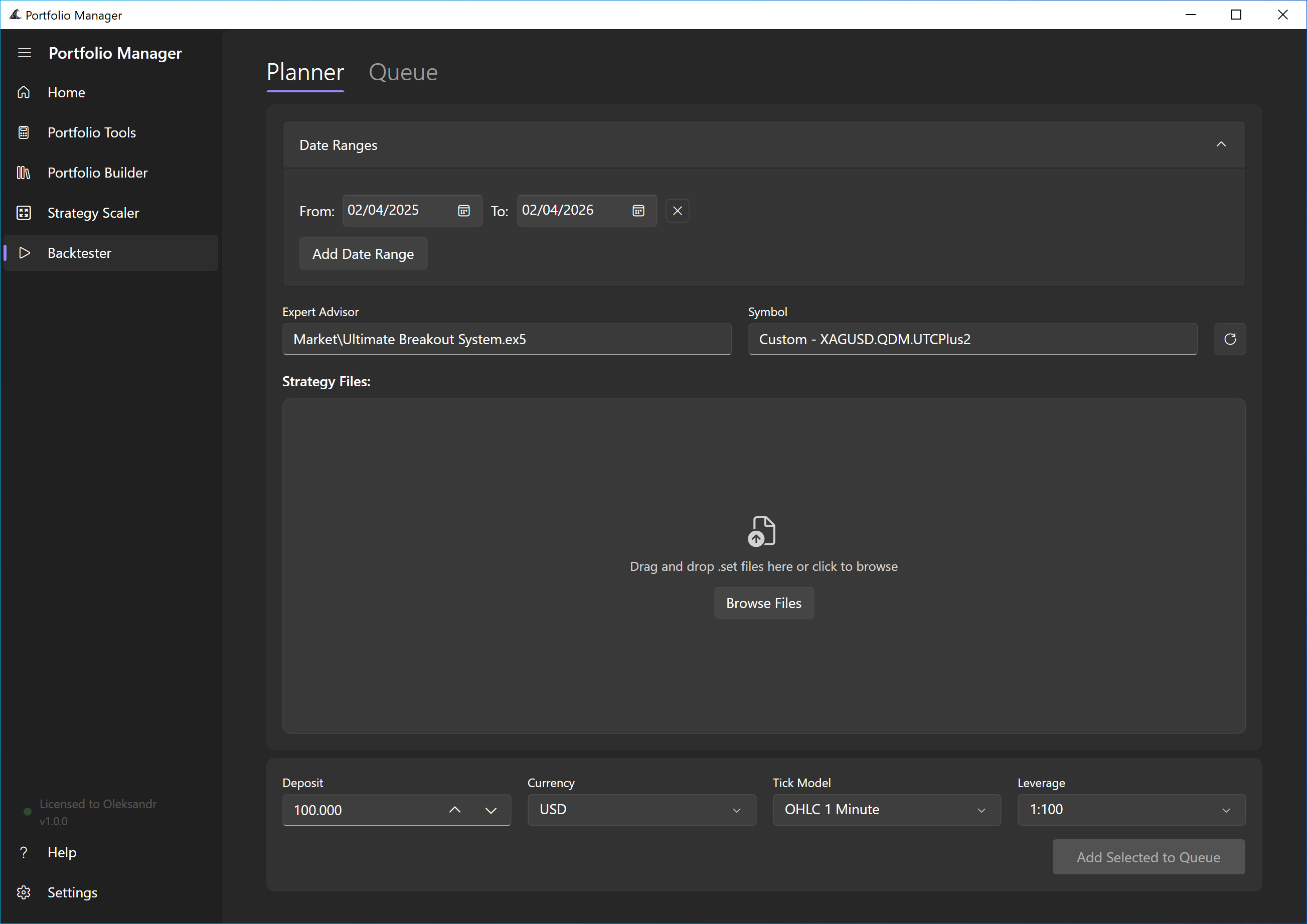
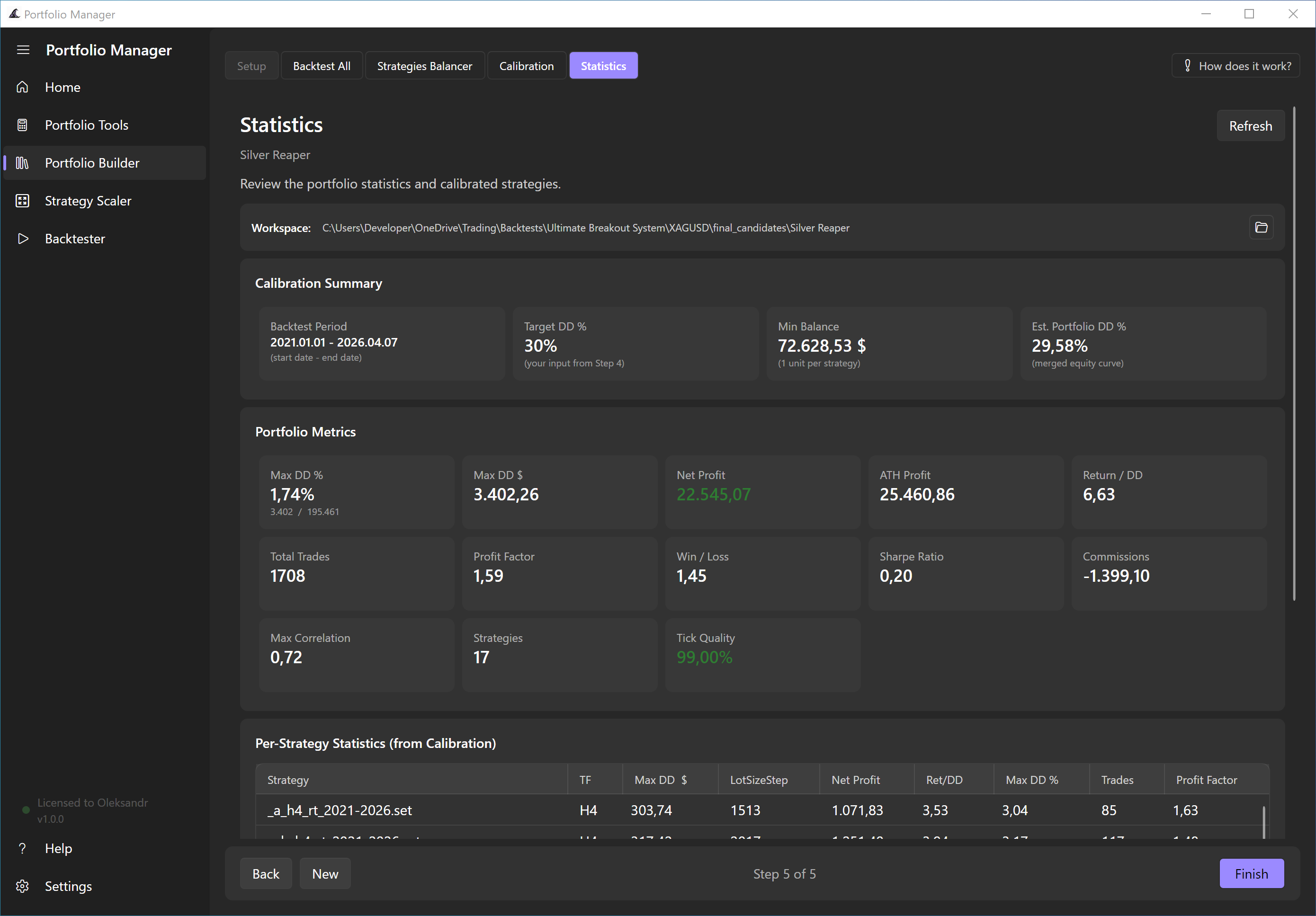
What's landing next.
Five features live today for preview testers — rolling out to everyone soon.
Try them now: turn on Receive preview updates in Settings → Updates to opt in early.
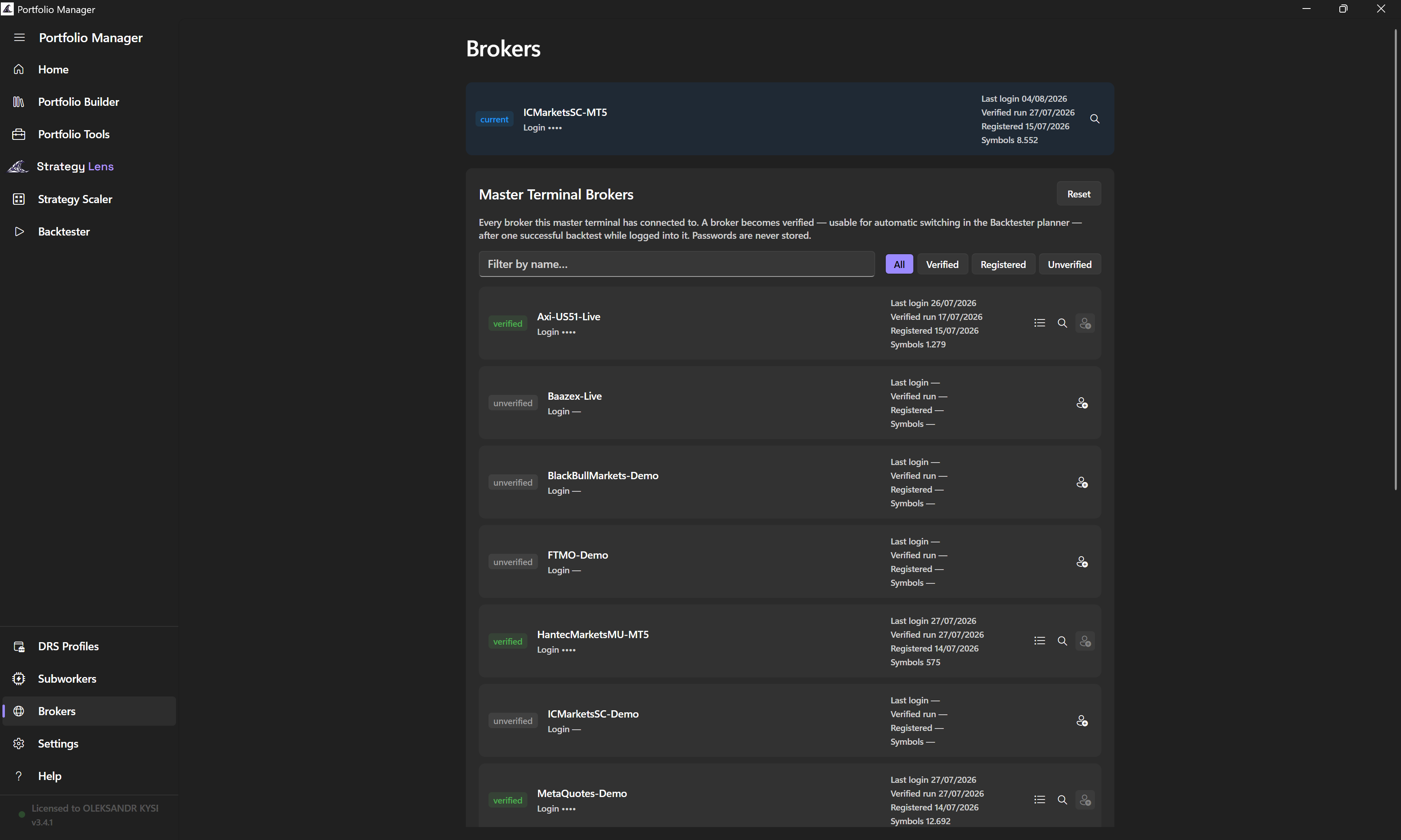
Backtest across every broker you trade.
Register a broker without leaving the app — Portfolio Manager logs into it for you, then discovers its symbols automatically. Pick the broker per run, and see exactly which broker produced every result in the Queue.
Never point it at a broken terminal again.
A new “Connect MetaTrader 5” card on Home finds your installed terminals for you. The picker rates every install it finds — Ready, Setup needed, or Not usable — so you know before a backtest fails halfway through.
See every symbol your broker offers.
One click reads your broker's complete symbol list — not just what's already sitting on disk — so every symbol dropdown in the app shows the real thing.
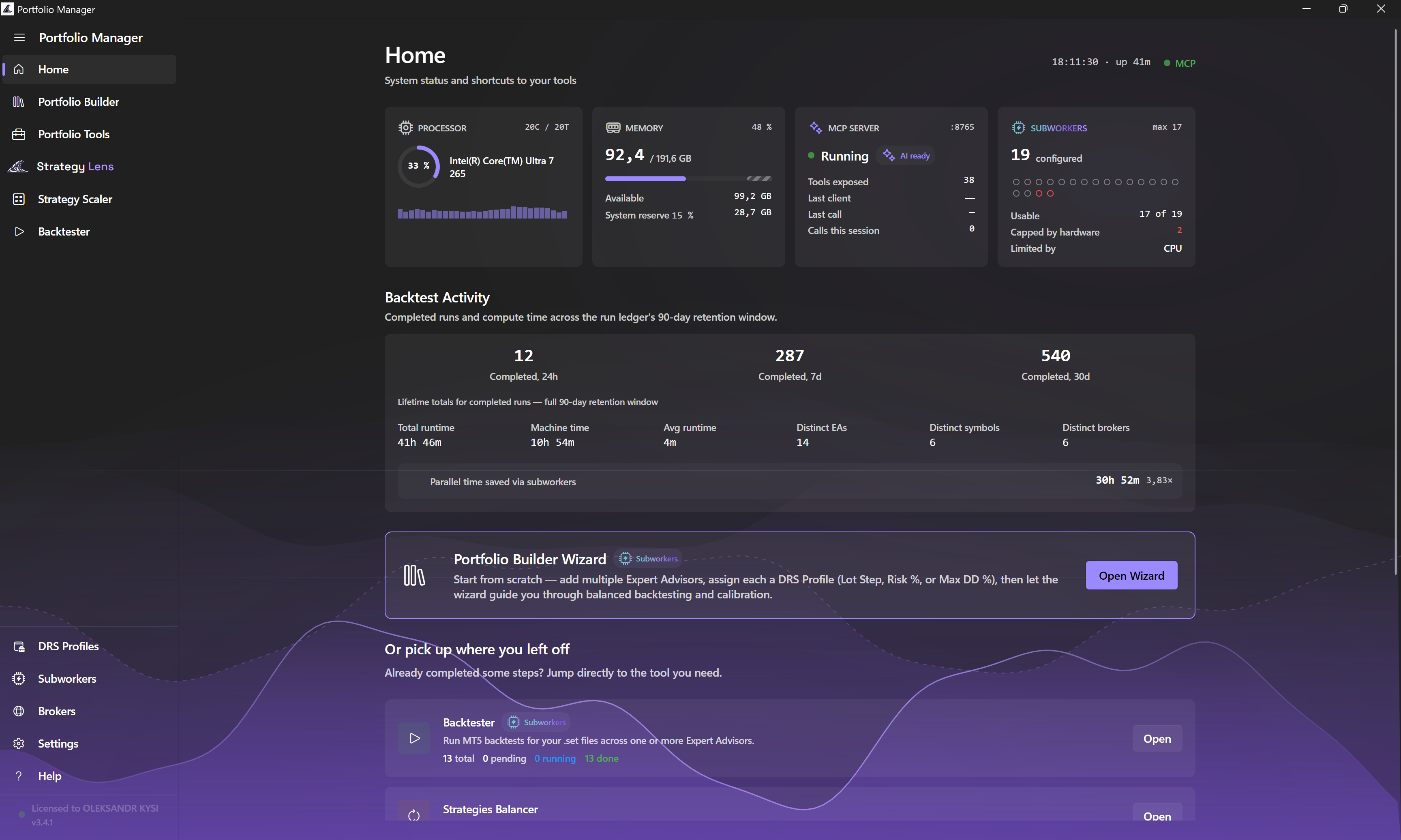
Your machine, at a glance.
Live status for CPU, memory and MT5 Subworkers, plus a Backtest Activity panel showing how much time parallel testing saved you.
Your assistant runs the backtests — and reads them.
One click pairs Portfolio Manager (runs the backtests) with StrategyLens (analyses them) over one shared folder. It can even look up the app's own help.
From .set file
to live portfolio, in four steps.
Setup
Drop in your strategy .set files. Pick a symbol & date range.
Backtest All
Run every strategy at a uniform base lot — in parallel — to measure raw drawdown.
Balance & Calibrate
Equalise drawdowns. Calibrate LotSizeStep to your target DD% and account size.
Validate & Export
Confirmation backtests, then a packaged folder of calibrated .set files ready for live.
One license,
forever.
Portfolio Manager v3.0.1 is the current release. Use code SUMMER2026 at checkout to get 239€ — saving 60€ off the regular 299€. One lifetime license, one machine, lifetime updates.
Portfolio Manager
- Parallel backtest engine
- Built-in StrategyLens analytics
- MT5 Subworkers
- Portfolio Builder Wizard
- Drawdown balancing
- Calibration & validation
- Correlation matrix
- Lifetime updates
- Community support (Discord / Telegram)